Let me start with a confession.For years, I thought a good financial model was one that had flawless formulas, neatly colored assumptions, and perfectly balanced statements.
But here is the truth most founders discover too late.
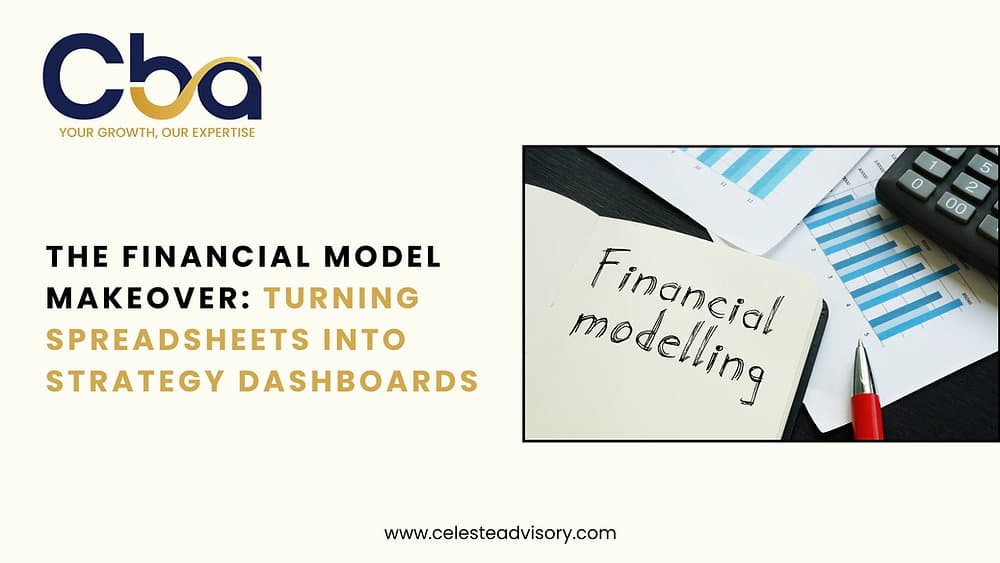
A spreadsheet is just math.A dashboard is insight.And insight is what drives growth.
At Celeste Business Advisors LLP, we work with founders across SaaS, agencies, e-commerce, and professional services who come to us with the same problem.Their Excel file is miles long, full of sheets, formulas, and tabs, yet nobody uses it outside of fundraising season.
Why?Because spreadsheets show numbers. Dashboards show meaning.
As we enter 2026, the era of financial modeling is shifting. Investors, lenders, and decision makers no longer want a model that tells them what happened. They want a dashboard that tells them what to do next.
This blog is your complete guide to transforming your financial model from a static workbook into a living, breathing strategy engine.
Grab a coffee. This is the makeover your numbers deserve.
1. Why Your Financial Model Needs a Makeover in 2026
The world changed. Your spreadsheet did not.
Your business now runs on real-time analytics, customer behavior data, AI signals, and rapid decision cycles. Yet the financial model most founders rely on is still updated once a quarter, or worse, only when investors ask for it.
Here is why spreadsheets alone do not cut it anymore.
A. Decisions are now faster than spreadsheets
Marketing campaigns shift daily.Pricing tests happen weekly.Sales cycles change with economic news.
Static spreadsheets cannot keep up.
B. Investors now expect dynamic visibility
Gone are the days when investors accepted a 3-year forecast buried in an Excel sheet.They want a dashboard that shows:
- real cash runway
- real CAC and payback
- real churn patterns
- real scenario impacts
C. Teams need visual insights, not numbers
Your COO understands operations.Your CMO understands growth.Your CTO understands products.
But none of them will scroll through 17 Excel tabs to understand the financial impact of their decisions.
A dashboard translates finance into a language everyone understands.
D. Finance must move from reporting to strategy
A spreadsheet tells you what happened.A dashboard tells you what choices you should make next.
And that is the shift businesses need for 2026.
2. What Exactly Is a Financial Model Dashboard
The simplest way to define it:
A financial model dashboard is the visual, real-time interface built from your underlying financial model. It turns rows of numbers into interactive charts, KPIs, trends, and insights that drive decisions.
Think of it as the homepage of your business’s financial health.
It includes:
- revenue trends
- gross margin stability
- operating profit
- working capital
- payroll cost evolution
- scenario impacts
- cash runway
- breakeven points
It also includes the metrics founders obsess over:
- CAC
- LTV
- churn
- ARR and MRR
- payback period
A great dashboard turns this data into signals, not spreadsheets.
3. Before the Makeover: What a Traditional Model Looks Like
Picture this.A founder sends us a financial model.The file is called: Model_Final_REAL_V3_Latest_Updated.xlsx
Inside, we typically find:
- 25 tabs
- formulas written in a foreign language
- one error message in row 4,216 that nobody has touched in years
- assumptions buried in three different tabs
- projections nobody understands
- no linkage to actual financials
- charts that broke in 2023
This model is not wrong. It is simply not useful anymore.
Now imagine turning all that into one visual dashboard that updates the moment your accounting system syncs. That is the makeover we are talking about.
4. Step by Step: How to Transform Your Spreadsheet Into a Strategy Dashboard
This is the part every founder loves because it is practical, actionable, and repeatable.
Let’s walk through the process.
Step 1: Start With a Clean, Structured Spreadsheet
A messy spreadsheet equals a messy dashboard.
You need:
- a clean assumptions sheet
- a revenue model sheet
- an expense sheet
- a staffing plan
- a cash flow schedule
- a P&L, balance sheet, and cash flow
This becomes the data foundation for your dashboard.
Pause and ask yourself:
Is your model easy to follow without you sitting next to someone explaining it?If not, the dashboard will fail too.
Step 2: Connect Your Model to Real Data
Your dashboard cannot be static. It must tie to:
- QuickBooks
- Xero
- Stripe
- HubSpot
- Shopify
- CRM or subscription tools
Why?Because a financial model that never updates becomes irrelevant fast.
Once your model pulls real data, the dashboard becomes a living organism.
Step 3: Choose Your Dashboard Tool (Excel, Power BI, or Fathom)
This is where your makeover becomes unique. Each tool has strengths.
Let’s compare them in the most founder-friendly way possible.
Excel: The Classic Powerhouse
Best for:
- CFOs who love formulas
- Custom financial logic
- Scenario modeling
- Heavy forecasting
What Excel does well:
- deep customization
- robust what-if analysis
- offline control
Where Excel struggles:
- not ideal for visual dashboards
- no real-time sync
- requires high skill to maintain
Excel dashboard example:
- MRR trend chart
- Gross margin waterfall
- Runway simulation with sliders
Excel remains powerful, but in 2026 it is rarely enough on its own.
Power BI: The Analyst’s Dream Tool
Best for:
- interactive dashboards
- real-time data sync
- multi-team visibility
- complex visuals
What Power BI does well:
- connects to almost every data source
- stunning visuals
- drilldowns and interactions
- scalability
Where Power BI struggles:
- requires data modeling expertise
- can overwhelm non-tech teams
Power BI dashboard example:
- CAC trends by channel
- LTV segmentation
- cash flow forecast visuals
- operating expense heatmaps
Power BI is what you choose when you want dashboards that feel like apps, not spreadsheets.
Fathom: The CFO’s Favorite Tool
Best for:
- service businesses
- agencies, SaaS companies, consultants
- quick insights without manual setup
What Fathom does well:
- instant dashboards from QuickBooks or Xero
- KPI libraries
- variance dashboards
- cash flow modeling
Where Fathom struggles:
- limited custom formulas
- not ideal for heavy forecasting
Fathom dashboard example:
- revenue summary
- profitability trends
- target vs actual tracking
- cash flow projections
If you want a dashboard today, not three months from now, Fathom wins.
5. The KPIs That Transform Your Dashboard Into a Strategy Engine
A dashboard is only as good as the metrics inside it. Here are the KPIs that change the way businesses think.
A. Revenue Intelligence Metrics
- monthly recurring revenue
- average revenue per customer
- expansion revenue
- churn impact
- pipeline to revenue conversion
These help your sales and growth teams understand whether the business is scaling sustainably.
B. Cost Structure Metrics
- payroll as a percentage of revenue
- operating expense breakdown
- vendor concentration risk
- gross margin stability
These metrics reveal whether you are overspending or scaling responsibly.
C. Cash Flow Metrics
These are the numbers that keep founders awake at night.
- cash on hand
- burn rate
- cash runway
- working capital cycles
These help you avoid surprises and manage liquidity.
D. Efficiency Metrics
- revenue per employee
- contribution margin
- operating leverage
- CAC payback
These show whether your business is becoming more efficient over time.
E. Scenario Metrics
This is where the magic happens.
Imagine sliding a bar that says:
- What if we hire 10 people
- What if churn rises by 2 percent
- What if our pricing increases by 15 percent
- What if we cut ad spend by 30 percent
A dashboard lets you visualize those answers instantly.
6. How Dashboards Change the Way Founders Make Decisions
Let us get practical. This is what really changes in a founder’s life.
A. Faster Decisions
No more waiting for monthly reports. No more manual updates. No more guessing cash runway.
You see numbers. You act.
B. Better Team Alignment
Your dashboard becomes the meeting room heartbeat.
Everyone speaks the same language:the language of numbers.
C. Clear Visibility Into What Works and What Does Not
Dashboards show:
- profitable channels
- wasted spend
- loss-making products
- staff inefficiencies
- margin pressures
Nothing hides. Everything reveals itself.
D. Predicting the Future Instead of Reacting to It
A dashboard lets you see:
- cash problems before they happen
- revenue slowdowns before they hit
- margin compression before it hurts
- hiring gaps before they stall growth
This is the biggest benefit of all.
7. Real Example: The Spreadsheet Makeover That Saved a Company
A client of ours, a mid-sized marketing agency in the U.S., had a classic problem:
Great revenueZero visibilityConstant cash crunch
Their model was fine, but nobody used it.Their decisions were emotional, not data driven.
We built them a real dashboard.
Within 90 days:
- they cut $80,000 in waste
- improved cash runway by 6 months
- raised pricing based on margin insights
- improved team utilization by 18 percent
- secured a $500,000 credit line using dashboard proofs
The dashboard became their operating system.
8. Mistakes to Avoid When Building Your Dashboard
Even beautiful dashboards fail if you do these things.
Mistake 1: Too many metrics
People get overwhelmed.
Mistake 2: No link to actual data
Manual dashboards die fast.
Mistake 3: Overdesigning visuals
Pretty is nice. Useful is better.
Mistake 4: Losing the story
A dashboard that does not lead to action is just decoration.
9. What Your 2026 Financial Model Dashboard Should Look Like
Here is the ideal structure.
Top Section: Company Health
- cash
- runway
- revenue trend
- profit trend
Middle Section: Business Engine
- CAC
- LTV
- churn
- payback period
Bottom Section: Operational Levers
- payroll
- marketing ROI
- contribution margin
- break even levels
Side Panel: Scenarios
Toggle buttons for:
- hiring plan
- pricing plan
- churn sensitivity
- expansion rate
This is how you turn financial data into strategy.
10. The Future: AI Powered CFO Dashboards
2026 dashboards will include:
- automatic anomaly detection
- predictive churn signals
- pricing optimization
- automated forecasting
- AI powered scenario suggestions
Your dashboard will not only show you the numbers. It will tell you which action to take.
Conclusion: Your Dashboard Is Now Your Decision Maker
If spreadsheets were maps, dashboards are GPS.They show you where you are, where you can go, and what route gets you there fastest.
A financial model dashboard is not a luxury. It is a survival tool. It is a competitive advantage. It is your strategy home base.
When your numbers come alive, your strategy does too.
Ready to Transform Your Financial Model Into a Strategy Dashboard
At celesteadvisory.com/home, we help founders build:
- investor ready financial models
- Power BI and Fathom dashboards
- cash flow engines
- scenario based strategy tools
- KPI dashboards your whole team understands
📩 Email: consulting@celesteadvisory.com🌐 Explore:celesteadvisory.com/fractional-cfo-services
Let us turn your spreadsheet into your most powerful strategic asset.
Celeste Business Advisors is proudly Fathom Certified, XERO Certified, QBO Certified, and our team includes seasoned CPAs and CMAs to provide comprehensive financial guidance.
Click Here For A Free Consultation With Our Expert